
Why Your Website Isn't Getting Traffic (And the SEO Fixes That Actually Help)

Why Your Website Isn't Getting Traffic (And the SEO Fixes That Actually Help)
You built a website. It went live. And then... nothing. No calls from search, no form submissions from people who found you on Google, no sign that anyone is seeing it except the people you personally tell.
This is extremely common. Most small business websites are essentially invisible to search engines, not because the business is bad or the site looks unprofessional, but because of a handful of specific, fixable technical and strategic reasons.
Here's what we find when we audit these sites, and here's what we actually do to fix it.
Why Most Small Business Sites Are Invisible to Google
Before we get to fixes, let's be clear on what's actually happening. Google's ranking algorithm evaluates thousands of signals, but for a small business site that's getting no traffic, the root causes almost always fall into one of four buckets:
1. The site doesn't tell Google what it's about clearly enough.
Vague page titles, no keyword focus, no structured data markup, heading hierarchy that doesn't match topic structure, Google can read your content but can't confidently categorize what the page is authoritative about.
2. The site is technically broken or slow in ways that suppress rankings.
A site that takes 6 seconds to load on mobile, has indexing errors in Google Search Console, or has duplicate content issues (www vs. non-www, trailing-slash vs. no-trailing-slash) is penalized by the algorithm before your content is even evaluated.
3. There's no local signal anchoring the site to a place.
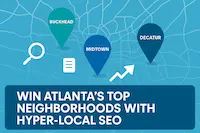
For a local service business, Google needs to see consistent Name/Address/Phone data, a verified Google Business Profile, and LocalBusiness schema markup to confidently surface the business in local searches. Without those anchors, the site competes against national players it has no chance of outranking.
4. There's nothing new. Google prioritizes sites that publish consistently. A site where the last page was added 14 months ago gets crawled less frequently and ranks lower for competitive terms than an actively maintained site.
Now let's fix each of these.
Fix 1: Write for What People Actually Search
The most common targeting mistake we see: business owners write website copy the way they'd explain their business to a friend, not the way someone types a search query.
The pattern: Your copy says "We provide comprehensive digital solutions for growing businesses." A potential customer types "web design Atlanta small business" or "how much does a website cost for a small business."
The fix: Every page on your site should target one specific search query (not several). That query should appear in:
- The page's
<title>tag (visible in the browser tab and search results) - The
<h1>heading (the first major visible headline on the page) - The meta description (the snippet under your link in search results)
- Naturally within the first 100 words of the page content
Don't force it. If your page genuinely answers the question that query represents, the keyword will be there naturally. If it doesn't, the fix is to write a page that does.
Use Google Keyword Planner or just Google's own autocomplete to find what people actually type. Local + service queries ("HVAC repair Atlanta") are almost always lower competition than broad service terms ("HVAC repair").
Fix 2: Pass Core Web Vitals on Mobile
Google's Core Web Vitals, LCP, CLS, and INP, are direct ranking signals. A site that fails them is algorithmically disadvantaged compared to competitors who pass, regardless of how strong your content is.
Check your current status: paste your URL into PageSpeed Insights and view the mobile results. You're looking for:
- LCP (Largest Contentful Paint): Under 2.5 seconds
- CLS (Cumulative Layout Shift): Under 0.1
- INP (Interaction to Next Paint): Under 200ms
The most common failure reasons:
Large LCP: The hero image on your homepage loads too slowly. Fix by converting it to WebP format, self-hosting it (not on a third-party CDN), adding fetchpriority="high" to the <img> tag, and adding a <link rel="preload"> in your <head>. For a fully built-out site, this typically drops LCP by 40–60%.
High CLS: Images without width and height attributes cause layout shifts as they load above content. Add explicit dimensions to every <img>. Also check for web fonts causing FOUT (Flash of Unstyled Text), use font-display: swap in your @font-face declarations.
High INP: Usually caused by too much JavaScript executing on page load. If your site is on a builder platform, this is platform-level overhead that's hard to eliminate. On a custom-built site, this is almost never an issue because JS is minimal and deferred.
Fix 3: Set Up Local SEO Properly
If you serve customers in a specific geographic area, this is your highest-leverage channel.
Step 1: Claim and complete your Google Business Profile.
Go to business.google.com and verify your listing. Complete every field: primary category (pick the most specific one that applies), service areas, hours, phone number, website URL, and at minimum 5 high-quality photos of your actual work/team/location.
Step 2: Get consistent NAP across the web.
Your business Name, Address, and Phone must be identical everywhere they appear, your website, your Google Business Profile, Yelp, any directory listing. "Suite 400" vs. "Ste 400" counts as inconsistent to Google's crawler. Audit and standardize these.
Step 3: Add LocalBusiness JSON-LD schema to your website.
This is a code block in your page's <head> that explicitly declares your business information to Google in a structured format. We include this on every site we build. Talk to your developer or contact us to have it implemented, it's not something most website builders expose in their settings panels.
Step 4: Build a real review acquisition strategy.
Google Business Profile reviews are a confirmed local ranking factor. The businesses that dominate local search in their category have 2–3x the reviews of competitors. Build a simple post-service follow-up email or text message with a direct link to your Google review page. Consistency over 6–12 months compounds significantly.
Fix 4: Get Your Technical House in Order
Run through this checklist once and keep it clean:
- [ ] HTTPS enforced everywhere. Every page loads on
https://. HTTP requests redirect to HTTPS. No mixed content (HTTP resources on HTTPS pages). - [ ] One canonical URL. Does
http://yourdomain.com,http://www.yourdomain.com,https://yourdomain.com, andhttps://www.yourdomain.comall redirect to the same version? Pick one and redirect all others to it permanently (301). - [ ] Sitemap submitted. Generate and submit an XML sitemap in Google Search Console under the "Sitemaps" tab.
- [ ] No indexing errors. Check the "Coverage" report in Search Console. Pages flagged as "Excluded" or with errors should be investigated and fixed.
- [ ] All
<img>tags have alt text. Every image needs a descriptivealtattribute. This is required for accessibility and helps Google understand your image content. - [ ] No broken links. Run a free link checker (like Broken Link Checker) monthly. Broken internal links waste Google's crawl budget and create a poor user experience.
Fix 5: Publish Content That Answers Real Questions
A website without regularly updated content gets crawled less frequently and ranks lower over time. But content for content's sake is worse than nothing, Google has plenty of generic articles already.
What works in 2025 is publishing content that demonstrates direct, documented experience:
- "Here's what we found when we ran Lighthouse on 6 builder sites vs. our custom builds" (with actual data)
- "The 5 things that broke on our client's Wix migration and how we fixed them" (specific, first-person)
- "How much does a custom website cost? Here's our actual pricing breakdown"
Start with questions your customers ask you on sales calls. Those are high-intent search queries with real people behind them, and they're almost always underserved by generic content farms.
One substantive post per month, published and cross-promoted on your Google Business Profile and social channels, builds meaningful organic presence within 6–12 months.
FAQs
Q1: How quickly can I expect to see SEO results after making these fixes?
A: Technical fixes (site speed, indexing errors, schema) can show measurable improvement in Google Search Console within 2–6 weeks. Local search ranking changes typically take 4–8 weeks after a Google Business Profile optimization. Content-driven ranking improvements compound over 3–12 months. The baseline question is not "when will I see results" but "am I building something that earns consistent traffic over time."
Q2: Do I need to hire someone for SEO or can I do it myself?
A: The technical fixes (schema markup, Core Web Vitals, canonical URLs) genuinely require a developer. Local SEO setup, Google Business Profile, NAP consistency, review acquisition, you can do yourself. The ongoing content strategy you can own entirely once you have a system. We offer a one-time SEO audit for $295 that gives you a developer-ready action plan if you want a contractor's-eye-view of what needs work.
Q3: My competitor is outranking me and their site looks worse than mine. Why?
A: Site design isn't a ranking signal. The likely reasons: they have more inbound links from other sites, they've published more content targeting the specific queries they rank for, they have more Google Business Profile reviews, or they score better on Core Web Vitals. Use ahrefs.com/backlink-checker (free) to see their link profile and Google PageSpeed Insights to compare performance scores.
Q4: Is paying for Google Ads necessary to improve organic rankings?
A: No. Google Ads (paid search) and organic SEO are completely separate systems. Running Google Ads gives you no ranking benefit in organic search. For most small businesses, the long-term ROI of organic SEO is stronger than paid, but paid search provides immediate visibility while your organic rankings build.
Q5: What's the fastest SEO win for a site that's starting from zero?
A: Local search. Set up and fully optimize your Google Business Profile, get 10+ reviews, and make sure your website mentions your city and services in the right places. A business with zero organic domain authority can still show up in the local pack within 30–60 days with a solid Google Business Profile setup.