Code Typing Speed Actually Matters — Here's the Data, the Gaps in Standard Trainers, and How We Built Ours | TiltStack

Code Typing Speed Actually Matters — Here's the Data, the Gaps in Standard Trainers, and How We Built Ours
There's a recurring argument in developer productivity discussions: does typing speed
actually matter, or is the real bottleneck always thinking, not typing?
The honest answer is: both, and the relationship is more interesting than the binary
suggests.
We got into this debate internally while watching a senior engineer — someone with strong
architectural instincts and fifteen years of experience — laboriously hunt-and-peck through
a TypeScript interface with eight nested generic types. The problem-solving was fast.
Writing it down was slow. The slow part was breaking the flow of the fast part.
That observation sent us down a rabbit hole of typing research, experiment, and eventually
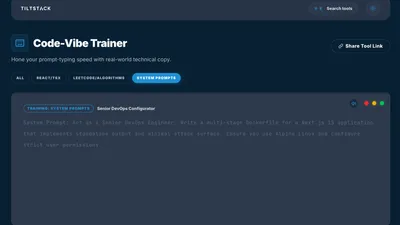
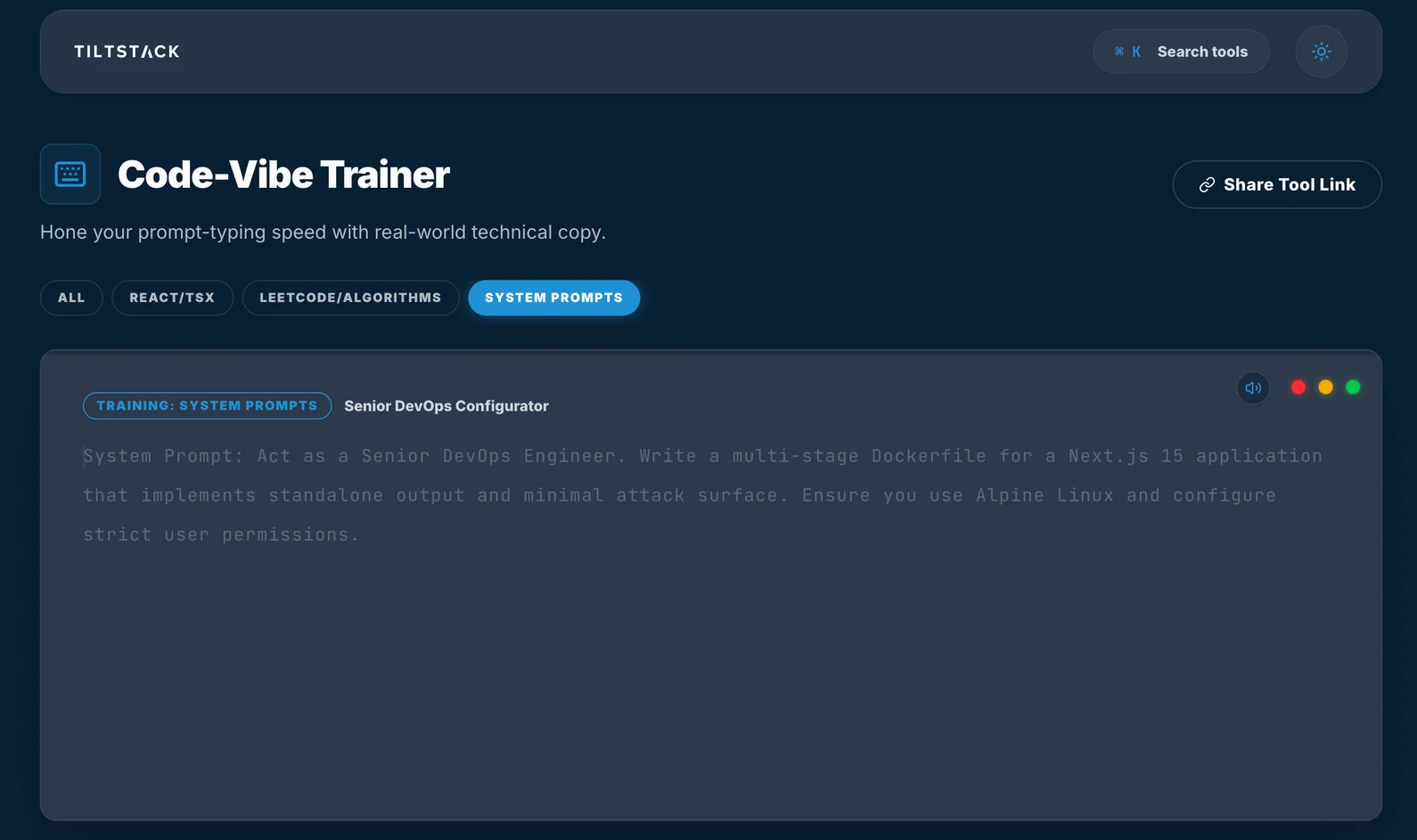
the TiltStack Code Typing Trainer — a browser-native
typing trainer built specifically for code, not English, with metrics that actually mean
something for developers.
The Problem With Standard Typing Trainers
Monkeytype, TypeRacer, Keybr, 10FastFingers — these are excellent tools. We've all used
them. They're genuinely great at what they do: training your fingers to produce English
prose quickly and accurately.
Code is not English prose.
When you measure the character frequency distribution of idiomatic JavaScript or Python
versus standard English text, the gap is significant:
| Character Class | English Prose Frequency | JavaScript Frequency |
|---|---|---|
| Lowercase letters | ~85% | ~35% |
Brackets {}[]() | <0.1% | ~8% |
Operators =>:;,. | ~3% | ~12% |
| Uppercase letters | ~5% | ~10% |
Symbols !@#$% | <0.5% | ~3% |
| Underscores/special | <0.1% | ~5% |
(Approximate distributions across a sample of 10K lines of typical application-layer
code vs. standard English text corpus.)
The implication: a developer who scores 90 WPM on a standard typing test has been
trained almost entirely on the left column. The right column — the actual character mix
of their daily work — has been almost entirely absent from their practice.
This is why you'll sometimes see developers who test well on prose typing tools noticeably
slow down when writing dense TypeScript, chaining methods on a long expression, or
reaching for ?., ??, !==, or =>. The letter keys have years of motor memory
behind them. The symbol keys don't.
What Net WPM Actually Measures (And Why Gross WPM Is Misleading)
Every typing trainer shows WPM. Most show gross WPM — the raw number of characters
typed divided by 5 (the standardized "word" unit), divided by elapsed time.
Gross WPM = (Characters typed / 5) / minutes
Gross WPM ignores errors entirely. A developer who types 80 WPM but makes an error every
six characters and backtracks to fix each one is not a fast typist — they're burning a
significant fraction of their actual throughput on corrections.
Net WPM applies an error penalty:
Net WPM = ((Characters typed / 5) / minutes) - (Errors / minutes)
Each uncorrected error subtracts from your net score. This makes the metric meaningful:
it measures actual correct output per minute, not raw keystroke velocity.
The Efficiency metric we added goes one layer deeper:
Efficiency = (Net WPM / Gross WPM) × 100
A perfect score is 100% — no errors, every keystroke contributes to output. A score of
70% means 30% of your typing effort is wasted on errors and corrections. For developers,
this breakdown is often more actionable than the WPM number alone.
We've found that developers with high gross WPM but low efficiency have trained themselves
to type fast and fix errors in post — a habit that works fine in English prose where the
correction cost is low, but is noticeably expensive in code where backtracking through a
nested expression has a higher cognitive reset cost.
Why We Chose LeetCode-Pattern Algorithmic Snippets
Generic typing trainers that offer a "code mode" often use one of two approaches: random
programming keywords strung together (not real code), or simple function definitions from
tutorial-level examples (so syntactically sparse they don't train the symbol density you
actually need).
We wanted snippets that:
- Are real code — structurally correct, logically coherent programs you'd actually
encounter or write - Have high symbol density — enough brackets, operators, and edge characters to
actually train the problem keys - Are short enough to complete in a session — typically 20–60 lines
- Have increasing complexity levels so there's a progression to work through
LeetCode-pattern algorithmic problems hit all four. A Merge K Sorted Lists implementation
in Python has nested brackets, comparison operators, pointer manipulation, and enough
structural density to be genuinely challenging to type. A Trie implementation in
JavaScript exercises object property access, this., recursive calls, and symbol-heavy
conditional logic.
Here's a representative example — a clean Merge K Sorted Lists implementation:
import heapq
from typing import Optional, List

class ListNode:
    def __init__(self, val: int = 0, next: 'ListNode' = None):
        self.val = val
        self.next = next

class Solution:
    def mergeKLists(
        self, lists: List[Optional[ListNode]]
    ) -> Optional[ListNode]:
        heap: List[tuple] = []

        for i, node in enumerate(lists):
            if node:
                heapq.heappush(heap, (node.val, i, node))

        dummy = ListNode(0)
        curr = dummy

        while heap:
            val, i, node = heapq.heappop(heap)
            curr.next = node
            curr = curr.next
            if node.next:
                heapq.heappush(heap, (node.next.val, i, node.next))

        return dummy.next
Type that at speed and you'll immediately identify your weak keys. The :, ->, (,
and [ characters will expose the gaps that 10,000 words of English practice never
touched.
The Auto-Indentation Feature
One of the early frustrations in building the trainer: typing code requires preserved
whitespace in a way that prose never does. If you have to manually hit Tab four times
to get to the correct indentation level on a new line, you're spending keystrokes on
navigation the IDE would handle automatically — which doesn't represent what your actual
coding experience feels like.
We added VS Code-style auto-indentation: when you press Enter at the end of a
line, the trainer automatically positions the cursor at the correct indentation depth
for the next line, matching the indent level of the preceding line. You're still required
to type the actual code characters — the auto-indent just handles the structural
whitespace positioning.
This makes the trainer reflect the experience of writing code in an actual editor — where
your muscle memory for the symbol and letter keys is what's being tested, not your ability
to count Tab presses.
The Architecture: Fully Client-Side, No Data Stored
The trainer runs entirely in the browser. There are no accounts, no progress sync, no
server receiving your keystrokes.
The decision was deliberate. We debated adding a leaderboard or persistent progress
tracking. The conclusion: any server component adds complexity that creates friction for
the most common use case — a developer opening the tool for a quick practice session,
closing it, coming back later. The value is in the practice, not the stat-tracking.
The current session state (current snippet, elapsed time, keystroke count, error count)
lives entirely in React component state. When you close the tab, it's gone — zero
persistence by design.
The snippet library is a static array of strings bundled with the application. No API
fetch. No dynamic loading. The snippet renders immediately on session start.
For measuring timing with precision, the trainer uses performance.now() rather thanDate.now():
// performance.now() gives microsecond resolution
// Date.now() is millisecond-only and can drift with clock corrections
const startTime = performance.now();

// On each keystroke:
const elapsed = (performance.now() - startTime) / 1000 / 60; // in minutes
const grossWpm = (correctChars / 5) / elapsed;
const netWpm = grossWpm - (errors / elapsed);
const efficiency = Math.round((netWpm / grossWpm) * 100);
The performance.now() implementation means WPM calculations are accurate to sub-
millisecond precision even in short sessions, which matters when sessions are 60–90
seconds long and a 10ms drift in the timer would meaningfully affect the score.
What We Found About Our Own Typing
After building the tool and actually using it, a few things stood out:
The efficiency drop on complex generics is significant. TypeScript generics with
multiple type parameters (Map<string, Set<ListNode>>) cause a measurable efficiency
drop in almost every developer we've watched use the trainer. The < and > keys —
used as comparison operators constantly in English — require a different cognitive
mapping as generic delimiters. The motor pattern doesn't transfer cleanly.
Error concentration is highly consistent per individual. Across 10+ sessions,
errors cluster on the same characters for a given developer. One person has 3× the error
rate on : as on any other symbol. Another consistently misses ( when it follows a
capital letter. This consistency is good news — targeted practice on the specific problem
keys moves the efficiency score significantly in a few sessions.
Net WPM is typically 70–85% of gross WPM for developers who test fast on prose
trainers. For developers who test slow on prose trainers, Net WPM is often 90–95% of
gross — they've compensated for their lower raw speed by being more accurate. In real
code output, the two groups often have similar actual throughput.
Try It — No Account, No Setup
→ Open the Code Typing Trainer
Pick a snippet (sorted by language and complexity), hit Start, and type. The trainer
gives you:
- Real-time WPM as you type (updates per keystroke)
- Net WPM and Efficiency score on completion
- Error highlighting — characters you missed are marked inline
- VS Code-style auto-indentation so you're testing actual coding muscle memory
- Multiple snippets across Python, JavaScript, TypeScript, and Go at varying
complexity levels
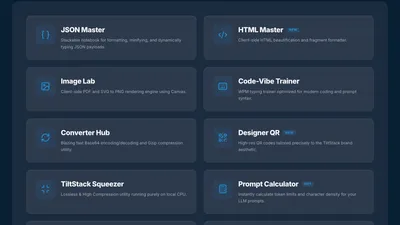
It's part of the TiltStack DevSuite — browser-native tools we built for
our own workflows and opened to the community.
Typing Speed in the Context of Developer Productivity
To close the loop on the original argument: yes, typing speed matters, but it's
nonlinear.
Below roughly 40 WPM in code (not prose — code), mechanical input is a genuine
bottleneck. The "I know what to write but can't write it fast enough" phenomenon is real
and measurable.
Above 70 WPM in code, the marginal value of additional speed drops significantly.
Thinking is the bottleneck. The cognitive overhead of writing complex logic, designing
interfaces, reading existing code — none of that compresses with typing speed.
The interesting zone is 40–70 WPM in code. Most developers self-report somewhere in
this range on code-specific typing (not prose), and it's where targeted practice on
symbol density and common code patterns makes a measurable difference to session feel —
not because the speed itself is the output, but because higher typing fluency reduces
the cognitive interruption of translating thought to keystrokes.
If writing code feels like fighting with your keyboard at any point, that's the problem
worth fixing. If you're not thinking about your keyboard at all, you've already cleared
the bar.
If you're interested in how we think about developer experience in our site builds,
or how vibe-coding rapid sessions fit into a production workflow, that's documented in
some of our other Lab Notes.
FAQs
Q1: How is code WPM different from prose WPM? Can I directly compare my scores?
A: Not directly. Code typing involves significantly higher symbol and bracket frequency,
more Shift key usage, and context-dependent pattern recognition that prose doesn't have.
A developer who scores 90 WPM on prose typically scores 55–70 WPM on dense code snippets
in our trainer. The code WPM score is the more meaningful number for self-assessment as
a developer — but it's not comparable to Monkeytype scores.
Q2: Why Net WPM instead of just tracking accuracy separately?
A: Because accuracy and speed aren't independent. A developer who types at 80 WPM with
78% accuracy isn't meaningfully faster than one who types at 60 WPM with 98% accuracy —
the first developer is spending a significant fraction of their actual time on
backtracking and corrections. Net WPM collapses both into a single throughput number
that reflects actual output, not just keystroke velocity.
Q3: What's a good Net WPM score for a developer?
A: For code-specific typing: under 40 WPM suggests typing is occasionally getting in the
way. 40–60 WPM is functional. 60–80 WPM is strong — you're not thinking about the
keyboard. Above 80 WPM in code, the efficiency metric matters more than the raw number.
For context, these are code-specific numbers — most developers score 20–30% lower on code
than on prose tests.
Q4: Why are there LeetCode-style snippets specifically? Can I add custom snippets?
A: LeetCode-pattern problems hit the character distribution goals we care about — high
symbol density, realistic indentation depth, real language idioms. Custom snippet support
isn't in the current version, but it's on the roadmap. The upcoming version will let you
paste any code block and use it as a practice session.
Q5: Does using this trainer actually improve coding speed, or just typing test scores?
A: It improves mechanical fluency on the specific characters you practice. Whether that
translates to faster code output in daily work depends on whether typing is actually in
your bottleneck today. Use it for one week of 10-minute daily sessions and check your
efficiency score trend — if it's improving, you were in the mechanical bottleneck zone.
If it plateaus quickly but your work speed feels unchanged, you've already cleared the
mechanical bar.