Why Every TiltStack DevSuite Tool Runs in the Browser — The Architecture Decision Behind 11 Client-Side Tools | TiltStack

Why Every TiltStack DevSuite Tool Runs in the Browser
We have one non-negotiable rule for the TiltStack DevSuite:
if it can run in the browser, it runs in the browser.
No backend API to proxy your request. No server logging your input. No account to create
before you can use it. No data in transit at all — because the compute happens on your
machine, in your browser tab, before anything can leave.
This post is the architectural rationale behind that constraint: why we adopted it, what
it forced us to learn, and how we structured the implementation across 11 tools that span
very different computational domains.
Why Client-Side First? The Privacy Argument
Each developer tool we built processes data in a category where privacy has real stakes:
| Tool | What you paste in | Why it's sensitive |
|---|---|---|
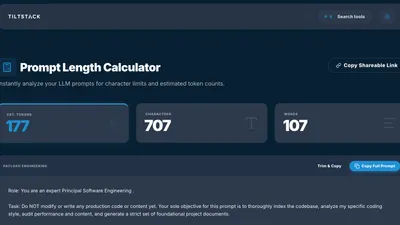
| AI Prompt Token Counter | System prompts, document context | Proprietary business logic, client data |
| JSON Formatter Notebook | API responses, config payloads | Often contains API keys, auth tokens, PII |
| Base64 / Gzip Converter | Encoded strings from production | JWT payloads, encoded credentials |
| Bulk Image Compressor | Design assets, product photos | Pre-launch assets, NDA-covered work |
| PDF to PNG Converter | Documents, contracts, decks | Legal documents, confidential materials |
| HTML Formatter | Source code, templates | Proprietary application code |
| Tailwind Palette Generator | Brand hex codes | Unreleased visual identities, NDA brand systems |
| QR Code Generator | URLs, business data | Internal tool endpoints, unreleased products |
| SaaS MRR Calculator | Revenue, churn rate, customer count | Confidential business metrics |
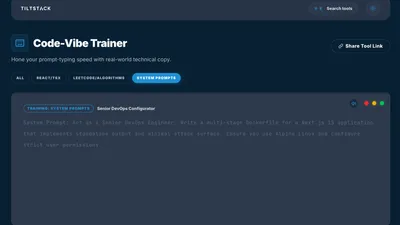
| Code Typing Trainer | Proprietary code snippets | Internal codebases used for practice |
The strongest privacy guarantee isn't encrypting data in transit. It's ensuring there is
no transit. When computation happens locally, the attack surface of "your data was logged
on our server" simply doesn't exist — because there is no server in the transaction.
We use these tools ourselves. The prompts we run through the token counter, the JSON
payloads we format, the PDFs we convert — these are real client materials. We didn't
want to build tools that created a data trail we'd expect clients to be uncomfortable
with, so we built them the same way we'd want them built if someone else were offering
them to us.
The Performance Argument Is Just as Strong
The second reason client-side architecture wins for developer tools has nothing to do with
privacy: it's faster by a measurable margin for every category of operation we built.
A typical round-trip to a server-side API endpoint, even a fast one:
- DNS resolution: 5–50ms
- TLS handshake: 20–100ms
- Server processing: 5–200ms (varies wildly)
- Response transfer: 10–100ms (depends on payload size)
- Total: 40ms–450ms minimum, per operation
A typical client-side operation for the same task:
- JavaScript / WASM function call: 0.1ms–50ms depending on complexity
- DOM update: <1ms
- Total: sub-millisecond to tens of milliseconds, zero network dependency
For interactive tools where you want live feedback as you type — the JSON formatter
updating as you paste, the token counter updating per keystroke, the palette generator
rebuilding on every hex digit — a server round-trip on each input event is architecturally
wrong regardless of how fast the server is. The latency floor of the network round-trip
is higher than the latency ceiling of local computation for every task we needed to
perform.
There's also the reliability dimension: client-side tools have no availability dependency
on our backend. If Firebase had an outage today, the DevSuite tools would still work
because they have no Firebase dependency at runtime. The only network dependency is the
initial page load — after that, the tools function completely offline.
The Technical Architecture
The DevSuite is a Next.js application with static export, deployed as a subdirectory
of the main TiltStack domain (tiltstack.com/tools/). This is the only significant
exception in our stack to the "Eleventy for everything" rule — and it's justified because
the DevSuite's interactive complexity (React state management, real-time input handlers,
conditional component loading) exceeds what Eleventy's templating model handles well.
The deployment pipeline:
Next.js source
    ↓ `next build` (with output: 'export')
Static HTML/CSS/JS files
    ↓ Firebase deploy
tiltstack.com/tools/ (served from Firebase Hosting CDN)
The output: 'export' setting in next.config.js tells Next.js to generate a fully
static build — no Node.js server, no server-side rendering at request time. The output
is pure HTML, CSS, and JavaScript files, identical in structure to what Eleventy builds
for the main site. Both deploy to the same Firebase Hosting project.
This means the DevSuite at /tools/ inherits the same global CDN, automatic HTTPS, and
HTTP cache header configuration as the main site — zero additional infrastructure.
How We Made It Work Per Tool Category
Different problem domains required different client-side strategies. Here's the
implementation breakdown:
Heavy Computation → WebAssembly
The AI Prompt Token Counter uses tiktoken — OpenAI's
tokenization library. The reference implementation is in Rust/Python. We use a
WebAssembly port that compiles the tokenization logic to WASM, which runs in the browser
at near-native speed.
WASM is the right tool when:
- The algorithm is computationally intense (BPE tokenization across 100K+ vocabulary)
- A fast, reliable native implementation already exists in a WASM-compilable language
- JavaScript would be 5–20× slower and the difference would be user-perceptible
The WASM binary loads once on first use of the token counter and is cached by the
browser. Every subsequent tokenization call is a function invocation against the cached
WASM module — no network, no re-parse.
File Processing → File API + Canvas API
The Bulk Image Compressor and
PDF to PNG Converter handle binary files without them
ever leaving the device.
The browser's File API
lets JavaScript read files from a drag-and-drop or file picker interaction directly into
an ArrayBuffer — the raw bytes of the file, in memory, without any upload:
const handleFileChange = (e: React.ChangeEvent<HTMLInputElement>) => {
    const file = e.target.files?.[0];
    if (!file) return;

    const reader = new FileReader();
    reader.onload = (event) => {
        const buffer = event.target?.result as ArrayBuffer;
        // buffer contains the entire file — still on-device, never uploaded
        processFile(buffer);
    };
    reader.readAsArrayBuffer(file);
};
For image compression, we draw the image onto an off-screen <canvas>, then callcanvas.toBlob() with the target MIME type and quality setting. The browser's built-in
image codec handles the compression — no external library, no server. The compressed
result is a new Blob that we offer for download via a temporary object URL.
For PDF conversion, we use PDF.js — Mozilla's
open-source PDF rendering engine, also distributed as a WASM module. PDF.js renders each
PDF page into a canvas at configurable resolution, and the canvas contents export to PNG
using the same toBlob() pattern. The entire multi-page conversion pipeline runs
locally.
String Encoding → Pure JavaScript
The Base64 / Gzip Converter,
HTML Formatter, and
JSON Formatter Notebook are the simplest category:
pure JavaScript string operations with no external library required.
Base64 encoding/decoding: btoa() / atob() are built into every browser.
Gzip compression: the Compression Streams API
is now available in all modern browsers and handles gzip/deflate natively:
async function gzipString(input: string): Promise<Uint8Array> {
    const stream = new CompressionStream('gzip');
    const writer = stream.writable.getWriter();
    const encoder = new TextEncoder();

    writer.write(encoder.encode(input));
    writer.close();

    const compressed = await new Response(stream.readable).arrayBuffer();
    return new Uint8Array(compressed);
}
No dependency. No bundle weight. No server. Three lines of native browser API.
For JSON formatting, JSON.parse() + JSON.stringify(data, null, 2) handles the core
formatting. Syntax highlighting over the formatted output is a lightweight tokenizer we
wrote in ~60 lines of TypeScript — it walks the JSON string character by character and
wraps token types in <span> elements with CSS classes. Fast enough to handle 500KB
JSON payloads without perceptible latency.
Generative Tools → Synchronous Algorithms
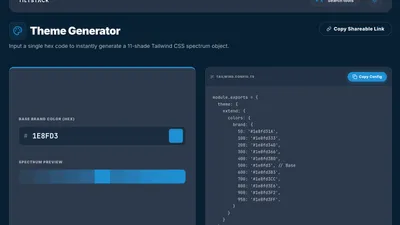
The Tailwind CSS Palette Generator and
Custom QR Code Generator run synchronous algorithms
directly in the React component — no WASM, no Web Worker, no async overhead needed.
Color palette generation (HSL manipulation across 11 stops) runs in under 1ms on any
modern device. The visual output re-renders on every input keystroke because the compute
cost is negligible relative to a React render cycle.
QR code generation uses the qrcode.react library,
which implements the QR encoding algorithm entirely in JavaScript. The encoded output
renders as an SVG element — no canvas, no image download required, but exportable to PNG
via canvas if needed.
Long-Running Computation → Web Workers
For computations that take perceptible time, we offload to a
Web Worker — a
background thread that runs JavaScript without blocking the UI.
This pattern applies to large-file bulk image compression (multiple files, each requiring
a canvas encode cycle) and tokenizing very long strings in the prompt counter. The Worker
thread posts a progress event during batch operations so the UI can show a progress
indicator, and a complete event with results when finished:
// worker.ts
self.onmessage = async (e: MessageEvent) => {
    const { files } = e.data;
    const results = [];

    for (let i = 0; i < files.length; i++) {
        const compressed = await compressImage(files[i]);
        results.push(compressed);
        self.postMessage({ type: 'progress', current: i + 1, total: files.length });
    }

    self.postMessage({ type: 'complete', results });
};

// Component
const worker = new Worker(new URL('./worker.ts', import.meta.url));
worker.onmessage = (e) => {
    if (e.data.type === 'progress') setProgress(e.data.current / e.data.total);
    if (e.data.type === 'complete') setResults(e.data.results);
};
The UI thread stays completely unblocked. The progress bar updates via the onmessage
handler. The user can interact with other parts of the page while the Worker runs.
The Trade-offs We Accepted
Client-side architecture isn't free. Here's what we deliberately gave up:
No persistent state across sessions. The JSON Formatter Notebook saves your snippets
in localStorage — browser-level persistence only. If you clear your browser data or
switch to a different device, the notebooks are gone. A server-backed database would solve
this, but it's a meaningful architectural complexity addition we don't think the use case
justifies for most developer tools.
No server-side analytics on tool usage. We know aggregate page view counts (via
Google Analytics), but we don't know which snippets people use most in the typing trainer
or which hex codes are commonly pasted into the palette generator. A server-side
implementation would capture this naturally. We consider it a reasonable trade for the
privacy properties.
Heavier initial bundle for WASM tools. The tiktoken WASM binary adds to initial load
weight for the token counter. We lazy-load it — it only downloads when you first visit
the token counter page, not on the DevSuite homepage — and it's cached aggressively. But
it's payload that a server-side implementation wouldn't require the client to download.
Browser compatibility constraints. The Compression Streams API, OffscreenCanvas,
and some Web Worker patterns require modern browsers. We support the last 2 major versions
of Chrome, Firefox, and Safari. Internet Explorer is not supported by any DevSuite tool
and we don't pretend otherwise.
The Full DevSuite
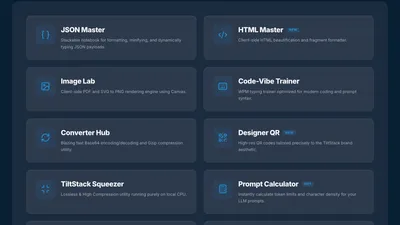
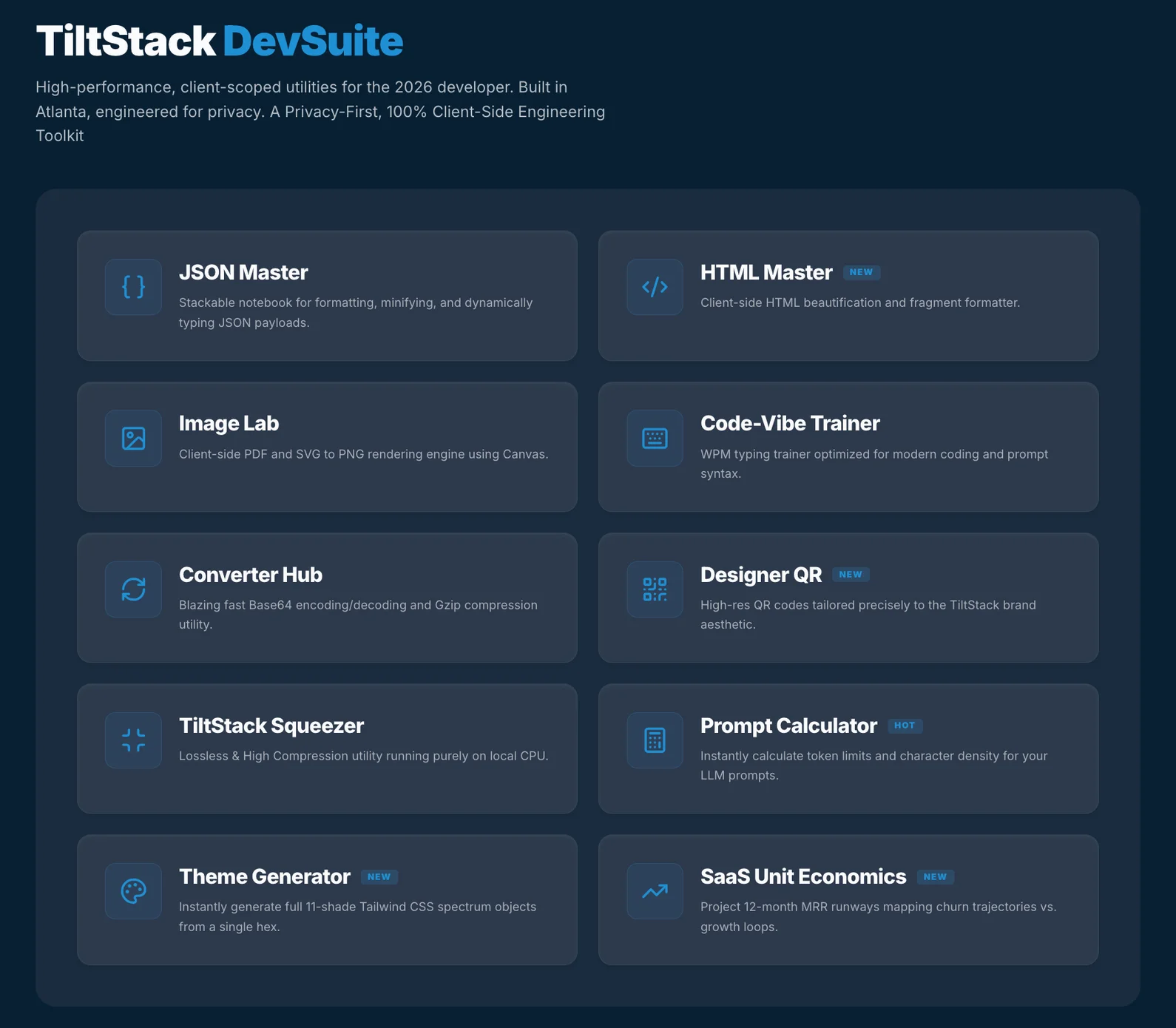
All 11 tools, all running in your browser:
| Tool | Use Case |
|---|---|
| AI Prompt Token Counter | Count tokens before sending to GPT-4o, o1, or GPT-3.5 |
| JSON Formatter Notebook | Format, validate, and save reusable JSON snippets |
| HTML Formatter & Beautifier | Clean and indent raw or minified HTML |
| Base64 / Gzip Converter | Encode, decode, compress, and decompress strings |
| Bulk Image Compressor | Compress multiple images to WebP/JPEG without upload |
| PDF to PNG Converter | Convert PDF pages to PNG images, locally |
| Tailwind CSS Palette Generator | Generate a full 50–950 scale from any brand hex |
| Custom QR Code Generator | Styled QR codes with custom colors and logo overlay |
| SaaS MRR / Churn Calculator | Model MRR growth, churn scenarios, and LTV |
| Touch Typing Code Trainer | Practice typing LeetCode-style code snippets |
| Color Palette Generator | Brand color tooling beyond Tailwind configs |
No accounts. No uploads. No data leaves your browser. Free, permanently.
Why We Published It
The DevSuite started as internal tooling. The token counter existed as a local HTML file
on a slack channel. The JSON formatter was a VS Code snippet. The image compressor was
a three-line sharp-cli command we all memorized.
Publishing them properly — as a real product with a consistent UI, a real domain, and
a well-maintained codebase — forced a quality bar that benefited us first. The tools
are genuinely better for being publicly available.
The secondary reason: a useful tool that lives on your domain is the best long-term SEO
content you can publish. A blog post about building a Tailwind palette generator will
rank for "Tailwind palette generator" once. A working Tailwind palette generator
at a stable URL will accumulate backlinks, bookmarks, and return visitors indefinitely —
and every return visitor is a moment where TiltStack is associated with useful, technically
credible work.
If you're curious about the individual implementation stories — the production incident
behind the token counter, the HSL algorithm in the palette generator, the Net WPM metric
in the code trainer — those are documented in their own Lab Notes:
- Why We Built the AI Prompt Token Counter
- Generating a Tailwind Palette From Any Brand Hex
- Code Typing Speed — The Data and How We Built the Trainer
Building Your Own Internal Tools as a Growth Channel
The DevSuite as a model generalizes beyond TiltStack. If your team uses a handful of
custom scripts or internal utilities regularly, the path from "slack channel one-liner"
to "publicly available browser tool that generates organic traffic" is shorter than it
looks — especially if the tools touch data that benefits from staying client-side.
The architectural pattern is repeatable: Next.js static export, browser APIs for the
heavy lifting (File API, Canvas API, Compression Streams, WASM for anything complex),
Firebase Hosting for deployment, zero server to maintain.
If you're evaluating whether your internal tooling could become a public-facing product —
or if you're looking to build a developer-audience lead magnet as part of a content
strategy — that's exactly the kind of scope our web consulting engages with
early. The DevSuite was a 6-week side project; the architecture decisions it forced are
documented here so you don't have to spend those weeks on the same discovery.
FAQs
Q1: Are the DevSuite tools really free forever, or is there a paid tier coming?
A: The current plan is free forever. The tools are a lead magnet and a credibility signal
for TiltStack's development and AI consulting services — the business model is that
clients who find value in the tools become clients for custom development work. Gating
the tools behind a paywall would undermine that model. If the infrastructure costs ever
make this unsustainable, we'd explore a voluntary "buy us a coffee" model before any
kind of paywall.
Q2: Can I use the DevSuite tools offline?
A: Most tools work offline after initial page load because all the compute happens
client-side. The one exception: if your browser cache is cleared, the WASM binary for
the token counter needs to download again. Once cached, the token counter works offline.
All other tools (JSON formatter, image compressor, HTML formatter, Base64, QR generator,
palette generator, SaaS calculator, typing trainer) work offline once loaded.
Q3: Why Next.js for the DevSuite and Eleventy for the main site? Why not one or the
other?
A: Eleventy compiles to static HTML at build time with minimal JavaScript. It's the right
choice for content sites where interactivity is limited to UI enhancements (nav toggle,
dark mode, form submission). The DevSuite tools require React-level state management —
real-time input handling, conditional rendering based on complex state, async progress
tracking across Web Workers. That complexity is where Eleventy's strengths end and React's
begin. Both deploy to the same Firebase project from the same repo, just via different
build pipelines.
Q4: How do I report a bug or request a new tool?
A: The best channel is our contact page. We read every message. Bug reports
with a specific reproduction case (what you pasted, what the tool did, what you expected)
get fixed fastest. New tool requests go into a backlog — if we'd personally use the tool
regularly, it usually gets built eventually.
Q5: I'm building a similar client-side tool suite. What are the biggest technical
gotchas?
A: Three things that bit us. First: btoa() / atob() only handle Latin-1 characters
safely — for Unicode strings, encode to UTF-8 bytes first before Base64 encoding.
Second: OffscreenCanvas (used for image compression in Workers) isn't available in
Safari as of early 2026 — we had to fall back to main-thread canvas processing for
Safari with a synchronous blocking approach. Third: WASM binaries have non-trivial
cold-load times on first visit — lazy-load them behind a user action (button click),
not on page mount, to avoid penalizing your Core Web Vitals score.